Short answer: To verify an online HR webinar qualifies for HRCI credit, check five things. Before you register: the page shows HRCI’s pre-approval statement and an Activity ID, the credit hours and credit type are stated and match the session length, the credit applies to the format you’ll use (live or recorded), and the provider appears in HRCI’s Recertification Providers directory. After the session: your certificate shows your name, the program, the date, the credit hours and the Activity ID. If any of these is missing, ask the provider before you pay.
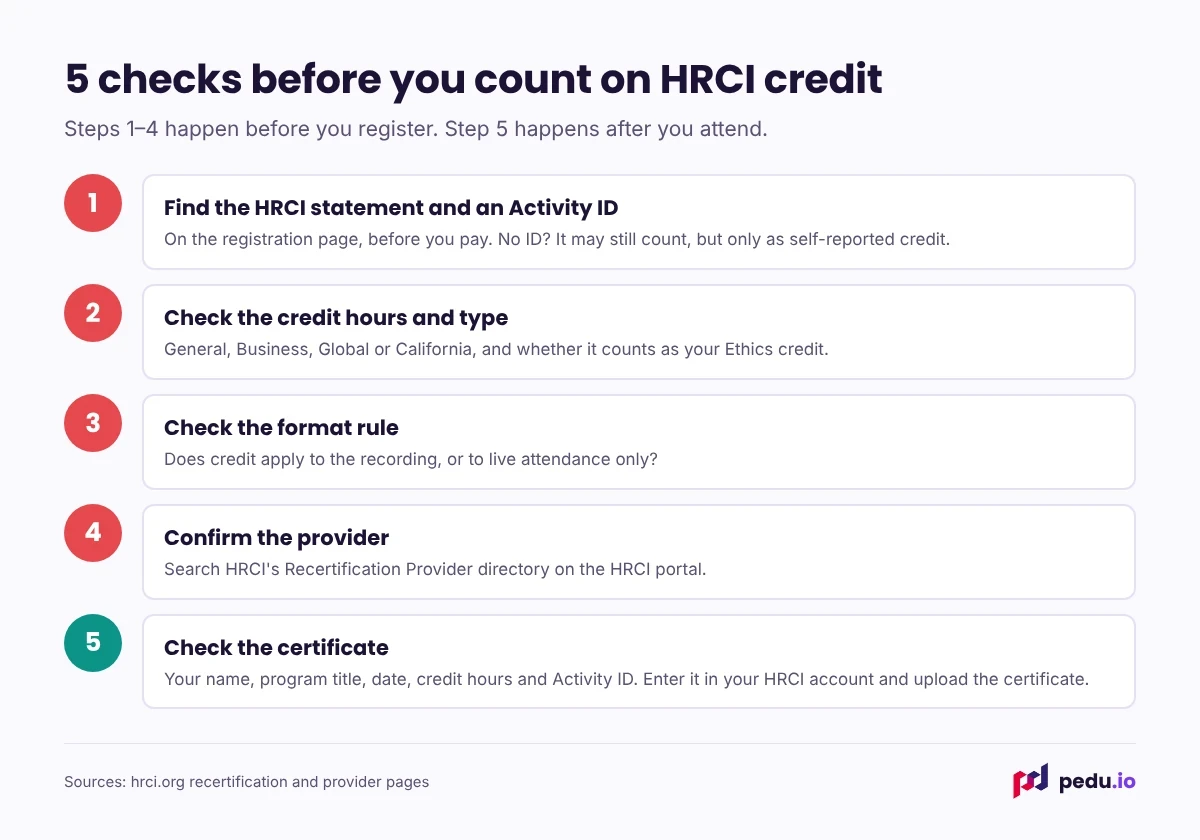
Check 1: The HRCI statement and an Activity ID
A pre-approved program carries HRCI’s statement on its registration page or flyer. The wording usually reads along these lines: the activity "has been approved for 1.5 HR (General) recertification credit hours toward aPHR, PHR, PHRca, SPHR, GPHR, PHRi and SPHRi recertification through the HR Certification Institute." Some providers also show HRCI’s official seal, with a line saying the activity has met HRCI’s criteria for recertification credit pre-approval.
Look for the Activity ID too. HRCI describes it as a number such as 012345 and also calls it a program code. If it isn’t on the page, it should be on your certificate. Ask which.
Watch for vague wording. "HRCI credits available", "HRCI-certified course" or "credit pending" isn’t the same as a pre-approved program. "Pending" means the provider has applied but HRCI hasn’t approved it yet.
Check 2: Credit hours and credit type
HRCI counts one credit per hour of learning, rounded to the nearest quarter hour, and only educational time counts. So the numbers should make sense:
- 60 minutes: 1.0 credit
- 75 minutes of content: 1.25 credits
- 90 minutes: 1.5 credits
- 2 hours: 2.0 credits
A 60-minute webinar advertised at 2 credits is a red flag.
Then check the type: HR (General), Business, Global or California. If you hold SPHR, SPHRi, GPHR or PHRca, you need 15 credits of a specified type, and only sessions approved as that type count toward it. Also check whether the session can serve as your one ethics-themed activity, if you still need it.
Check 3: The format rule
Some programs are approved for live attendance only. Others extend the credit to the recording. If you plan to watch later, look for wording that covers recorded viewing, or ask the provider directly. Don’t assume the recording carries the same Activity ID.
Check 4: The provider’s standing
HRCI keeps a Recertification Providers directory in its portal. Search for the organization’s name. A legitimate provider should also be able to tell you how long it has been approved and point you to its HRCI statement without hesitation.
Check 5: Your certificate
After the session, open the certificate before you log anything. It should show:
- Your full name, spelled as it is in your HRCI account
- The program title
- The date you attended or completed the recording
- The credit hours and credit type
- The Activity ID
Then log in to your HRCI account, enter the Activity ID and upload the certificate the same day. If something’s missing, ask the provider to reissue the certificate before you log it.
A quick email to send the provider
If the page leaves questions, send this before you register:
Hi, I’m planning to register for [session title] on [date]. Before I do, could you confirm: (1) the HRCI Activity ID, (2) the number of credit hours and the credit type, (3) whether watching the recording earns the same HRCI credit, and (4) what the certificate will show? Thank you.
A provider that answers all four quickly and clearly is usually a safe bet.
If the webinar turns out not to qualify
You still have options. An HR-related session without an Activity ID can sometimes be reported to HRCI yourself, as continuing education linked to HRCI’s Exam Content Outline. It goes to a reviewer, and self-reported programs are capped, so treat it as a fallback. If you haven’t attended yet, ask about the provider’s refund or transfer policy.
How Pedu shows its HRCI credit
Pedu is an HRCI Approved Provider. Each credit-eligible session lists its credit hours on the session page, and your certificate includes the Activity ID once you complete the session, whether live or recorded. See the details on our accreditation page and the HRCI recertification credits guide. If a certificate hasn’t arrived, the help center explains how to request it.
Not sure about a particular session? Write to [email protected] and ask for the Activity ID, credit hours and credit type before you register.
Frequently asked questions
What does the HRCI pre-approval statement say?
It states how many recertification credit hours the activity is approved for, the credit type (such as HR General or Business) and the credentials it applies to, through the HR Certification Institute. Some providers also show HRCI’s seal, which confirms the activity met HRCI’s criteria for pre-approval.
Where do I find a webinar’s HRCI Activity ID?
Usually on the registration page, in the session description or on your certificate. For HRCI’s own webcasts it may appear near the end of the presentation. If you can’t find it anywhere, ask the provider before you attend.
What does "HRCI credit pending" mean?
The provider has applied for HRCI approval but hasn’t received it yet. The session may well be approved in time, but there’s no guarantee. If you’re counting on those credits for a deadline, choose a session that’s already approved.
Do I get separate certificates for SHRM and HRCI credit from the same webinar?
It depends on the provider. Some issue one certificate that lists both the SHRM activity code and the HRCI Activity ID; others issue two. Either works, as long as each credential’s code appears on a certificate you can upload.
How do I know whether a webinar counts as General or Business credit?
The HRCI statement on the session page names the credit type, and so should your certificate. If neither says, assume it’s HR (General) and ask the provider before relying on it for a Business requirement.
What if my certificate is missing the Activity ID?
Contact the provider and ask for a corrected certificate. You’ll need the Activity ID to log a pre-approved credit, and a certificate without one won’t help much if your application is audited.
Does HRCI check the credits I log from webinars?
Pre-approved activities logged with a valid Activity ID are accepted without further review. HRCI also randomly audits recertification applications, and if yours is picked you’ll be asked for supporting documents for every activity.
How long should I keep my HRCI webinar certificates?
HRCI doesn’t publish a fixed retention period on its audit page. Keep every certificate at least until your recertification is approved, and upload each one to your HRCI account as you log it so a copy always sits with the record.
Can I get a refund if a webinar doesn’t qualify for the credit I expected?
That depends on the provider’s policy and timing. Ask before the session, not after. At Pedu, an upcoming webinar bought at least 7 days ahead can be refunded in full if you cancel at least 48 hours before it starts.