Short answer: Before you buy a webinar that claims to offer SHRM PDCs, check nine things: the SHRM Recertification Provider badge with SHRM’s standard statement, an activity ID you’ll receive afterward, a PDC number that matches the run time, whether the recording earns PDCs, who teaches it, whether the topic fits SHRM’s competencies, what the certificate shows, the refund terms, and the absence of overclaims like "official SHRM partner". Most of these take seconds on the registration page.
Why it’s worth two minutes
SHRM doesn’t pre-approve each webinar. Recertification Providers award PDCs for their own programs, under SHRM’s program rules. That’s efficient, but it means the checking falls to you. The good news: legitimate providers make every answer easy to find.
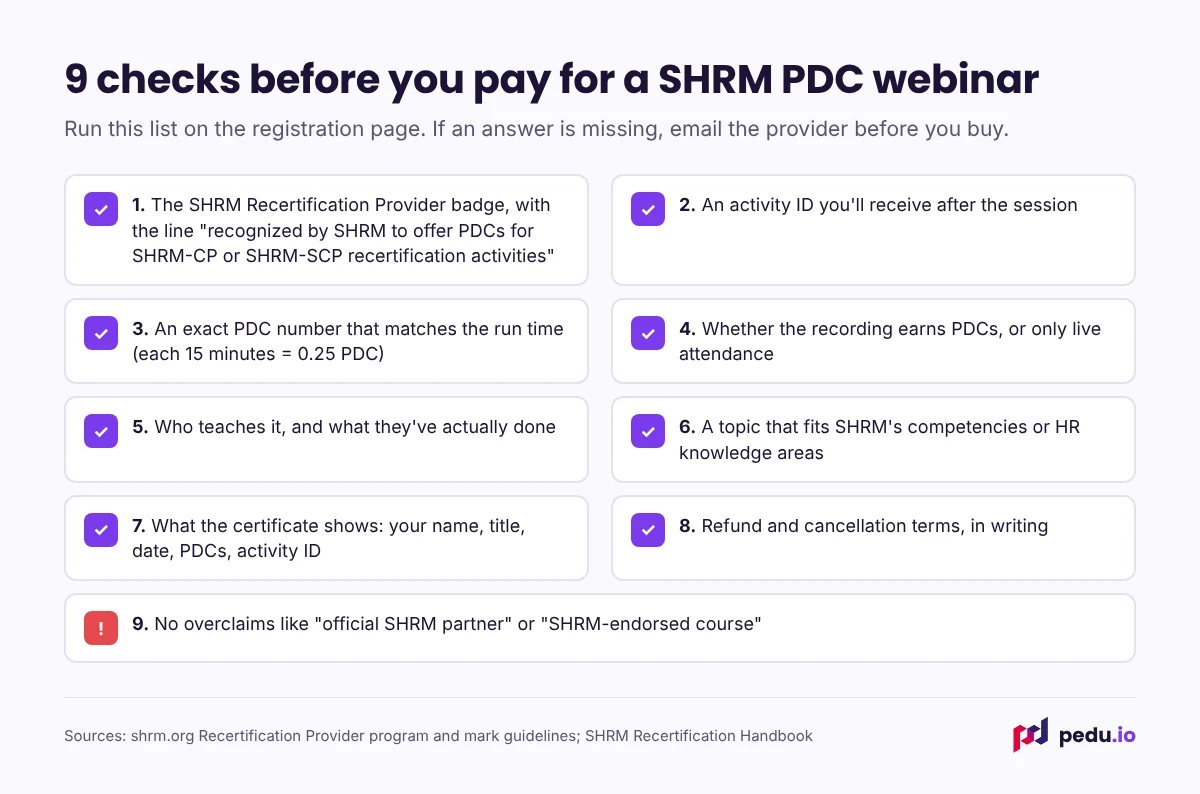
The 9 checks
1. The badge and SHRM’s statement
Look for the SHRM Recertification Provider badge on the page, along with a line like this: "[Provider] is recognized by SHRM to offer Professional Development Credits (PDCs) for SHRM-CP® or SHRM-SCP® recertification activities." That wording is standard because SHRM’s program rules require it alongside the badge.
Red flag: the SHRM logo on its own, or "SHRM credits available" with no provider statement.
2. An activity ID
You’ll enter an activity code in the SHRM portal to log the PDCs. Ask where it appears: on the certificate, in a follow-up email or on the session page.
Red flag: "just add it manually as education." You can self-report without a code, but you shouldn’t have to with a provider.
3. A PDC number that matches the run time
SHRM counts education in 15-minute increments of 0.25 PDC. A 60-minute session is 1 PDC; 90 minutes is 1.5; 2 hours is 2.
Red flag: a 60-minute webinar advertised at 2 PDCs.
4. Whether the recording earns PDCs
If you might watch later, check that the recording carries the same PDCs and activity ID. Some providers award credit for live attendance only.
Red flag: "recording available" with no mention of credit.
5. Who teaches it
The speaker’s bio should name their organization, their role and their relevant credential: an attorney for employment law, a CPP or EA for payroll and payroll tax, an experienced HR leader for policy.
Red flag: "our expert faculty" with no names.
6. A topic that fits SHRM’s competencies
PDC-eligible programs have to align with the SHRM BASK: HR knowledge areas or behavioral competencies. HR compliance, employment law, total rewards, leadership and communication all fit.
Red flag: a general software tutorial or sales training offered for PDCs.
7. What the certificate shows
A useful certificate has your name, the program title, the date, the PDC amount and the activity ID. You’ll want all five if SHRM ever asks for documentation.
Red flag: a generic "certificate of attendance" with no PDC amount.
8. Refund and cancellation terms
Read them before you pay, especially for live sessions. Know what happens if you can’t attend, and what happens if the provider cancels.
Red flag: no written policy anywhere on the site.
9. No overclaims
SHRM’s guidelines say the Recertification Provider designation must not be used to imply a SHRM partnership or endorsement beyond the authorization to award PDCs. Providers who play by the rules don’t stretch it.
Red flags: "official SHRM partner", "SHRM-endorsed course", "guaranteed SHRM approval".
The 30-second version
If you’re in a hurry, check three things: the provider statement (check 1), the PDC number against the run time (check 3), and whether the recording counts (check 4). Those three catch most problems.
How Pedu answers the nine checks
- Badge and statement: Pedu is a SHRM Recertification Provider; the details are on our accreditation page.
- Activity ID: printed on your certificate once you complete the session.
- PDCs vs run time: 1 PDC per hour, shown on every session (90 minutes = 1.5).
- Recording: earns the same SHRM PDCs and HRCI credit as the live session.
- Who teaches: named practitioners, with full bios on the speakers page.
- Topic fit: HR, payroll, employment law and workplace compliance.
- Certificate: downloadable from your account.
- Refunds: full refund on upcoming webinars bought 7+ days ahead and cancelled 48+ hours before, and a full refund if we cancel.
- Overclaims: we describe ourselves only as a SHRM Recertification Provider and an HRCI Approved Provider.
Read the details on our accreditation page, the refund policy and the speakers page, and see how PDCs work on our SHRM recertification guide.
If a session page leaves any of these nine questions unanswered, email [email protected] and ask before you pay.
Frequently asked questions
How can I tell whether a webinar really offers SHRM PDCs?
Look for the SHRM Recertification Provider badge with SHRM’s standard statement on the registration page, a stated PDC amount and a promise of an activity ID. You can also search for the provider in SHRM’s Recertification Provider Directory.
If a provider has the SHRM badge, is every course "SHRM-approved"?
Not in the sense people usually mean. SHRM approves the provider, and the provider awards PDCs for its own programs that fit SHRM’s rules. SHRM doesn’t review each session in advance, which is why the other checks on this list matter.
Where do I find the activity code for a SHRM webinar?
Usually on the certificate you receive after the session, or in the provider’s follow-up email. Some providers also list it on the session page. You enter it in the SHRM certification portal under Add PDCs.
What if my webinar didn’t come with an activity code?
You can still log it under Advance Your Education by entering the program details yourself, as long as it fits SHRM’s competencies. Ask the provider for a code first, though; a provider program should have one.
Can a one-hour webinar be worth 1.5 PDCs?
No. SHRM counts education in 15-minute increments of 0.25 PDC, so a one-hour session is 1 PDC. A higher number means either a longer session or a mistake.
Does SHRM check the PDCs I claim?
SHRM can audit recertification records, and it asks credential holders to keep documentation for up to six months after their recertification period ends. Keep each certificate until then.
Are cheap SHRM PDC webinars worth buying?
Price isn’t the main risk. A low-cost session from a real Recertification Provider with an activity ID is a good deal. An expensive one without a provider statement or activity ID is the bigger problem.
What should a SHRM PDC certificate include?
Your name, the program title, the date you completed it, the number of PDCs and the activity ID. Some also show the provider’s name and the speaker. If any of the first five is missing, ask for a corrected certificate.
Is "SHRM-endorsed" a real designation for webinars?
Not for Recertification Providers. SHRM’s guidelines say the provider designation must not be used to imply a SHRM partnership or endorsement beyond the authorization to award PDCs. Treat "endorsed" or "official partner" claims as a warning sign.